Acemagic K5: 30-second review
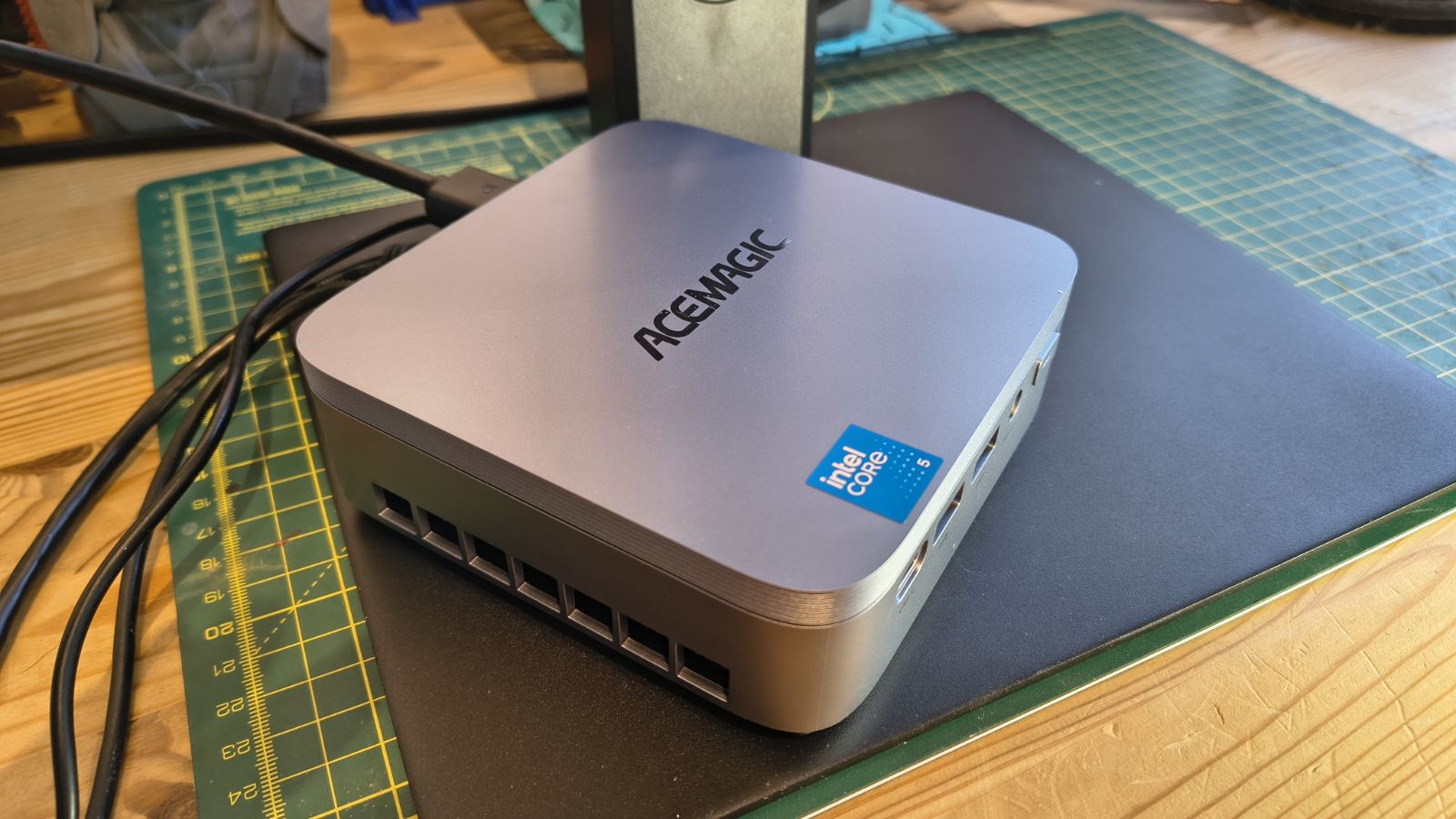
When this hardware first came to me, it was called the Acemagic KRON mini K5, but somewhere along the line it got rebranded as just the plain old K5.
Built around Intel's Core 5 Processor 320, a chip better known by its original codename, Wildcat Lake. This is the interesting bit. It is Intel's first outing for the 18A process on a mainstream mini PC part, and that matters more than the modest core count suggests.
Six cores split two ways sit at the heart of this silicon. Two performance cores handle the heavy lifting, while four efficient cores take on background tasks and keep power draw sensible. Turbo tops out at 4.6GHz, which is plenty for a machine this size.
The headline figure is AI throughput. ACEMAGIC quotes 40 TOPS across the whole platform, with the NPU alone good for 16 TOPS and the Xe graphics core contributing up to 20 TOPS of its own. That puts local AI tasks such as background blur, transcription and on-device image processing well within reach, without leaning on the cloud.
However, the minimum requirement to run even Copilot locally is 47 TOPS, so it's best suited to simple models.
Memory has moved on too. LPDDR5 running at 6400MT/s replaces the LPDDR4X seen on older ACEMAGIC boxes, and that faster memory feeds both the CPU and the integrated Xe graphics more efficiently. The trade-off is that the memory is soldered down, so what it comes with, 16GB in this instance, is all it will ever have.
The downside is that this NUC costs closer to mid-spec hardware, but it lacks USB4 ports, and its NVMe slots are only Gen4 x2. Cheaper Intel and AMD platforms offer USB4 and NVMe Gen4 x4 slots, but they use older technology.
Once more Wildcat Lake systems enter the market, hopefully prices will come down, but it seems overpriced for the specs it offers.
It's never going to be the best mini PC, but it is an improvement over what technology it replaces.
Acemagic K5: Price and availability
- How much does it cost? From $559
- When is it out? Shipping from mid-October 2026
- Where can you get it? You can get it directly from Acemagic
At the time of writing, the K5 is available for pre-order directly from Acemagic.com, but it seems likely that after its mid-October launch, it will also be purchasable from online retailers.
The US asking price is $559 for the only SKU, which has the Intel Core 5 320 CPU, 16GB of LPDDR5 memory and a 512GB SSD.
In the EU, two SKUs are coming on the 12th of October: one matching the US spec and another with the Intel Core 3 304 CPU, 12GB of RAM, and 256GB of storage. These are €549 and €349, respectively.
Right now, the K5 isn’t listed on the UK pages, but that’s likely to change in the coming weeks.
As I’ve already mentioned, the Wild Lake silicon is new, and other system makers are still readying their Wild Lake systems.
However, I found that Beelink has the EQ mini, which uses the Wildcat Lake Core 3 304 and comes with 12GB of RAM and 512GB of storage for $429. The 304 CPU has only five cores, less GPU and AI power, and a lower clock speed than the 320.
The only other brand shipping a machine based on the Core 5 320 is ASRock, with its Industrial NUC BOX-320. But that’s a quote-only solution that can come with 64GB of RAM and dual 2.5GbE LAN ports, so it’s unlikely to be cheap.
Overall, it's hard to tell whether the K5 will align with what system makers will ask for on this platform, but I’d hope it's less than this. The machines it replaces used the Core 3 N305, and those were, until memory became stupidly expensive, mostly below $300.
- Value: 3 / 5
Acemagic K5: Specs
CPU | Intel Core 5 Processor 320 (Wildcat Lake), 2 performance cores plus 4 efficient cores, 6 threads, Intel 18A process |
Clock speed | 1.4GHz base, up to 4.6GHz turbo |
Cache | 6MB Intel Smart Cache |
NPU | Up to 16 TOPS (Int8) |
Platform AI total | Up to 40 TOPS across CPU, GPU and NPU |
GPU | Intel Xe graphics, 2 Xe cores, up to 2.5GHz, up to 20 TOPS AI compute |
Memory | 16GB LPDDR5 6400MT/s, onboard and non-upgradable |
Primary storage | 512GB M.2 2280 NVMe SSD (PCIe Gen3 x4) |
Expansion storage | 1x M.2 2280 NVMe, each on a PCIe 4.0 x2 link |
Wireless | WiFi 6 |
Bluetooth | Bluetooth 5.2 (M.2 2230 module) |
Wired networking | 1x 2.5GbE LAN, auto-negotiating down to 10Mbps |
HDMI | 1x HDMI 2.0, up to 4K at 60Hz |
DisplayPort | 1x DP 1.4, up to 4K at 60Hz |
USB-C video | DP 1.4 Alt Mode, up to 4K at 60Hz, alongside USB 3.2 Gen 2x2 data at up to 20Gbps and USB PD 100W input |
Audio | 1x 3.5mm jack |
USB-A front | 2x USB 3.2 Gen 2, 10Gbps |
USB-A rear | 4x USB 3.2 Gen 1, 5Gbps |
USB-C | 1x, shared video, data and 100W power input duties as above |
Other | 1x DC power input, 1x power button |
Dimensions | 128 x 128 x 41.3mm |
Power input | DC 19V, 3.42A, up to 25W TDP design |
Cooling | 80mm x 10mm fan, aluminium heatsink, dual air outlets, rated at 2000rpm and above |
Operating system | Windows 11 Pro |
Warranty | Two years |
Acemagic K5: Design
- Plastic enclosure
- Easy access
- No USB 4
Acemagic has made systems with metal enclosures, but the K5 isn’t one of them. This is mostly plastic, and no amount of metallic paint is going to make people think otherwise.
The advantage of that material is that the K5 is remarkably light, and with a provided VESA bracket, it's remarkably easy to mount this hardware to the back of a monitor.
The chassis itself is tiny, at 128 by 128 by 41.3mm, yet ACEMAGIC has kept the TDP down to 25W. That should mean quiet running and low running costs, useful for anyone who wants a machine parked on a desk all day rather than tucked away and forgotten.
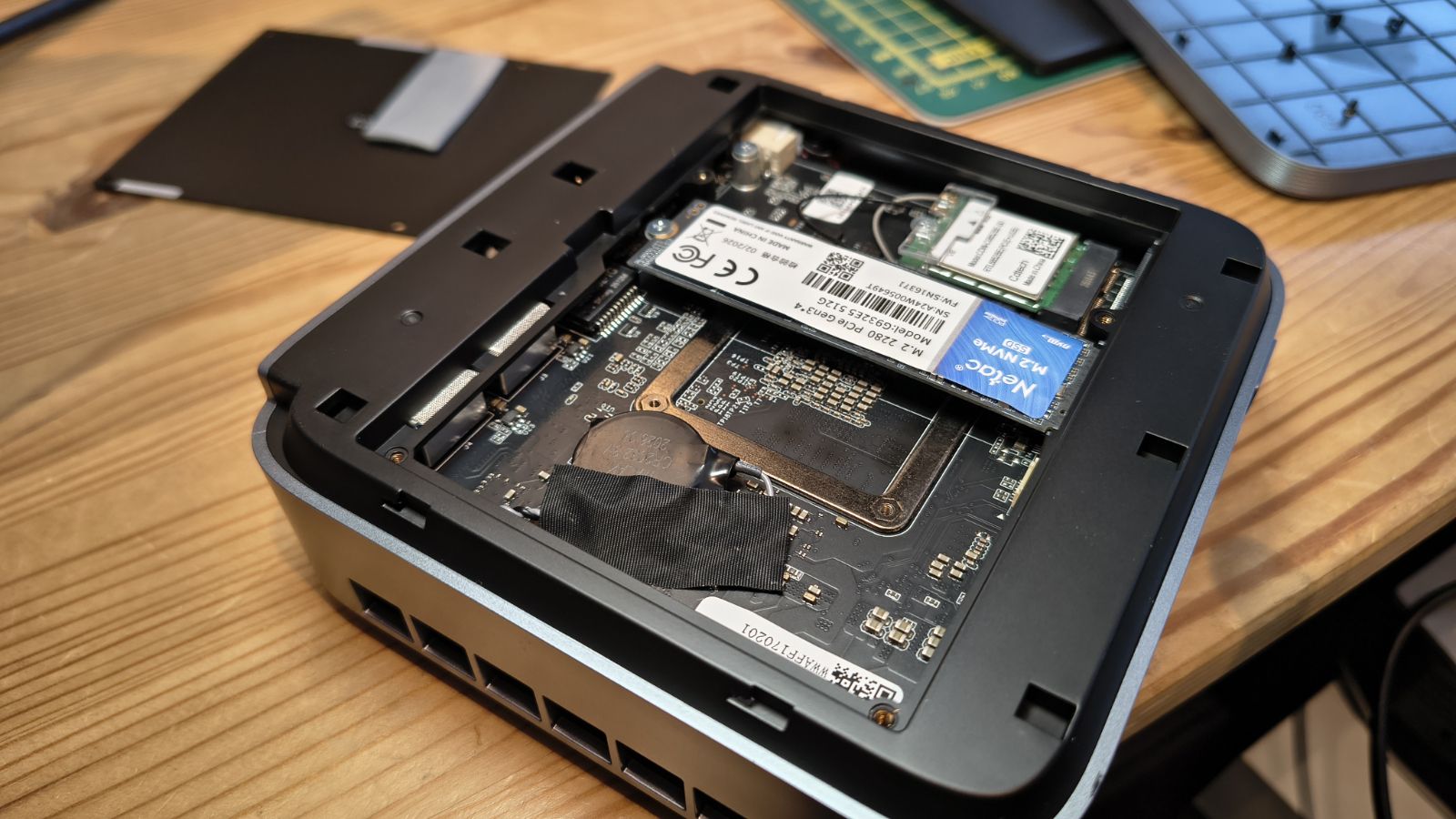
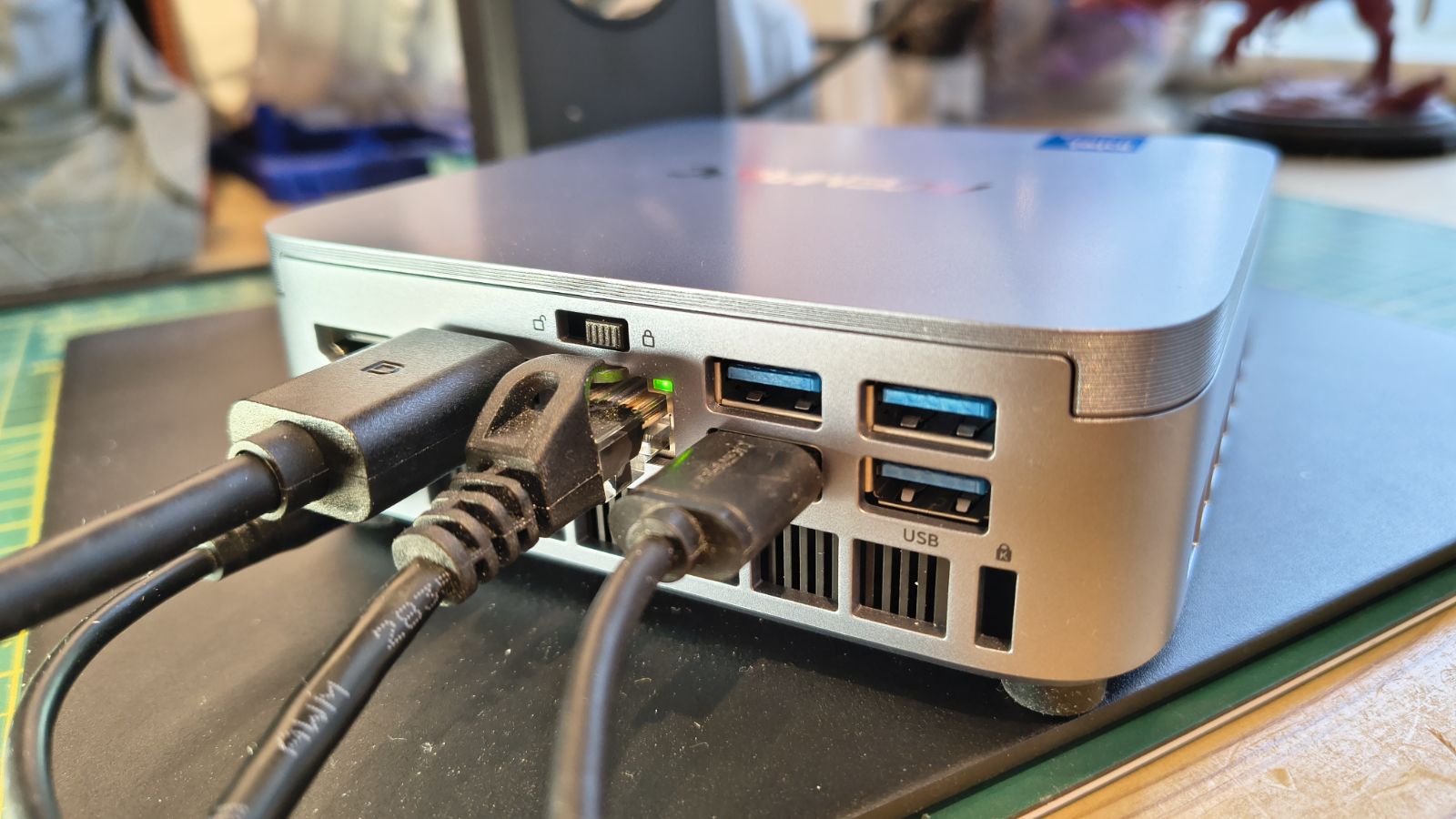
Access to the internals looks easy, since Acemagic has a small switch on the rear that slides to unlock the top of the case. But those expecting tool-less entry are soon disappointed: under the lid is a panel that needs four screws removed before you can reach the top of the motherboard.
That plate helps distribute heat from the SSDs and has a thermal pad, so you still need to pry it off even after removing the screws.
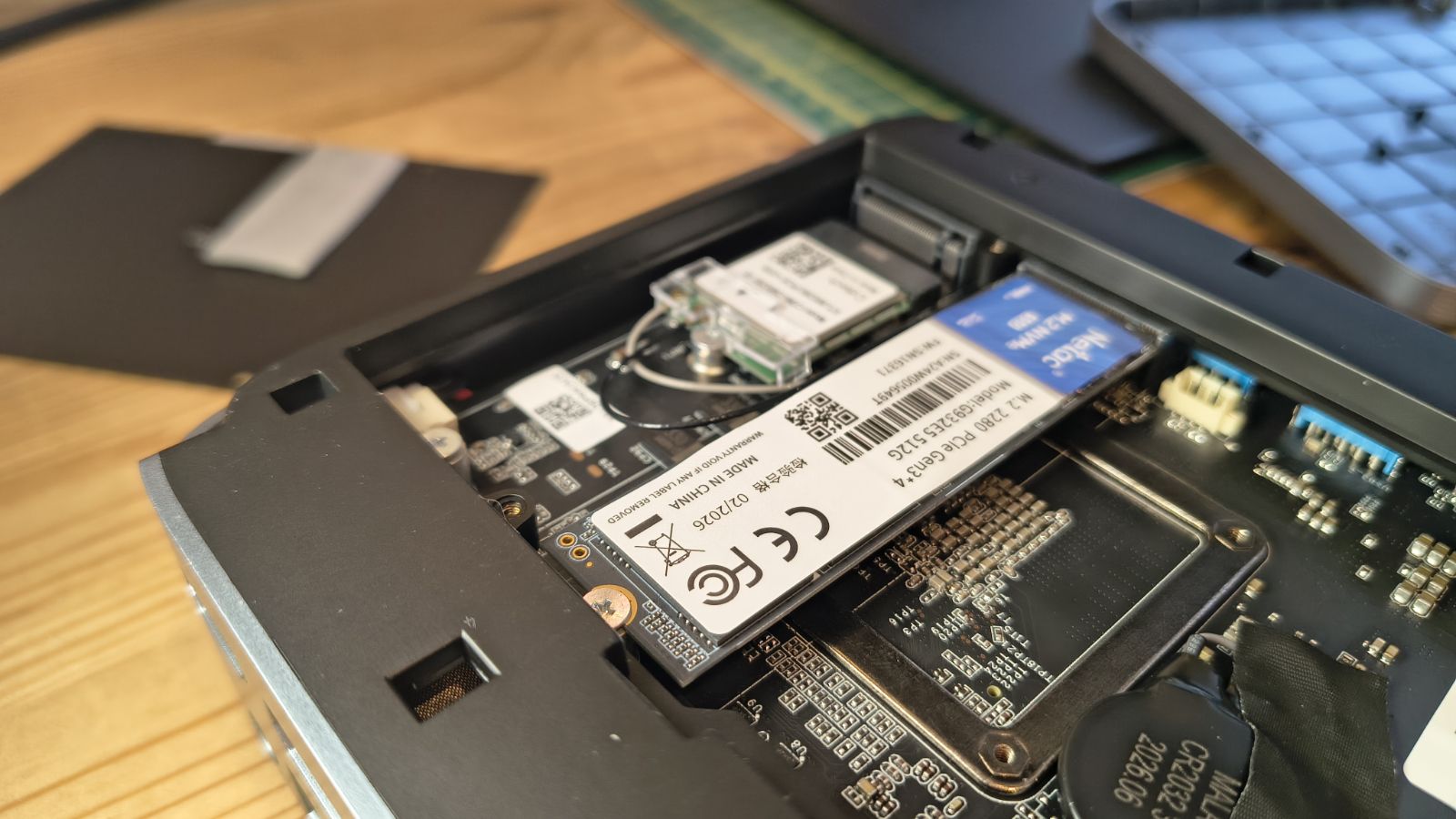
Once you get past those hurdles, you can reach the M.2 slots, and there are three. Two are the conventional 2280 variety; one is occupied by Windows 11 Pro, and the third is 2242 and occupied by the WiFi module.
Two 2280 M.2 slots sound great on paper, but there is a caveat we’ll get to later.
There is no memory access because the LPDDR5 used in this machine is soldered to the mainboard.
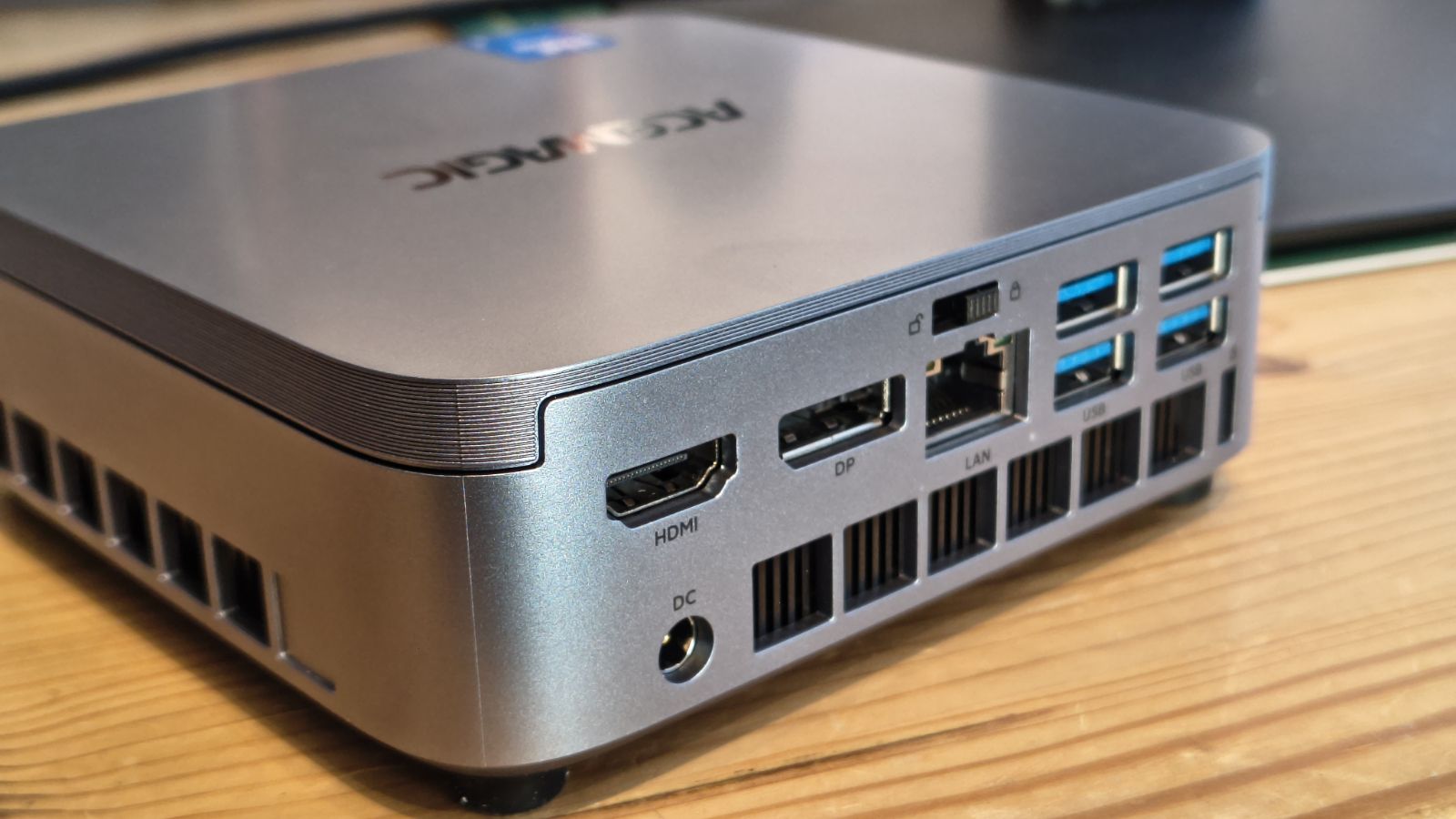
Moving back to the outside, ports are limited to the front and back, with the sides reserved for ventilation slots.
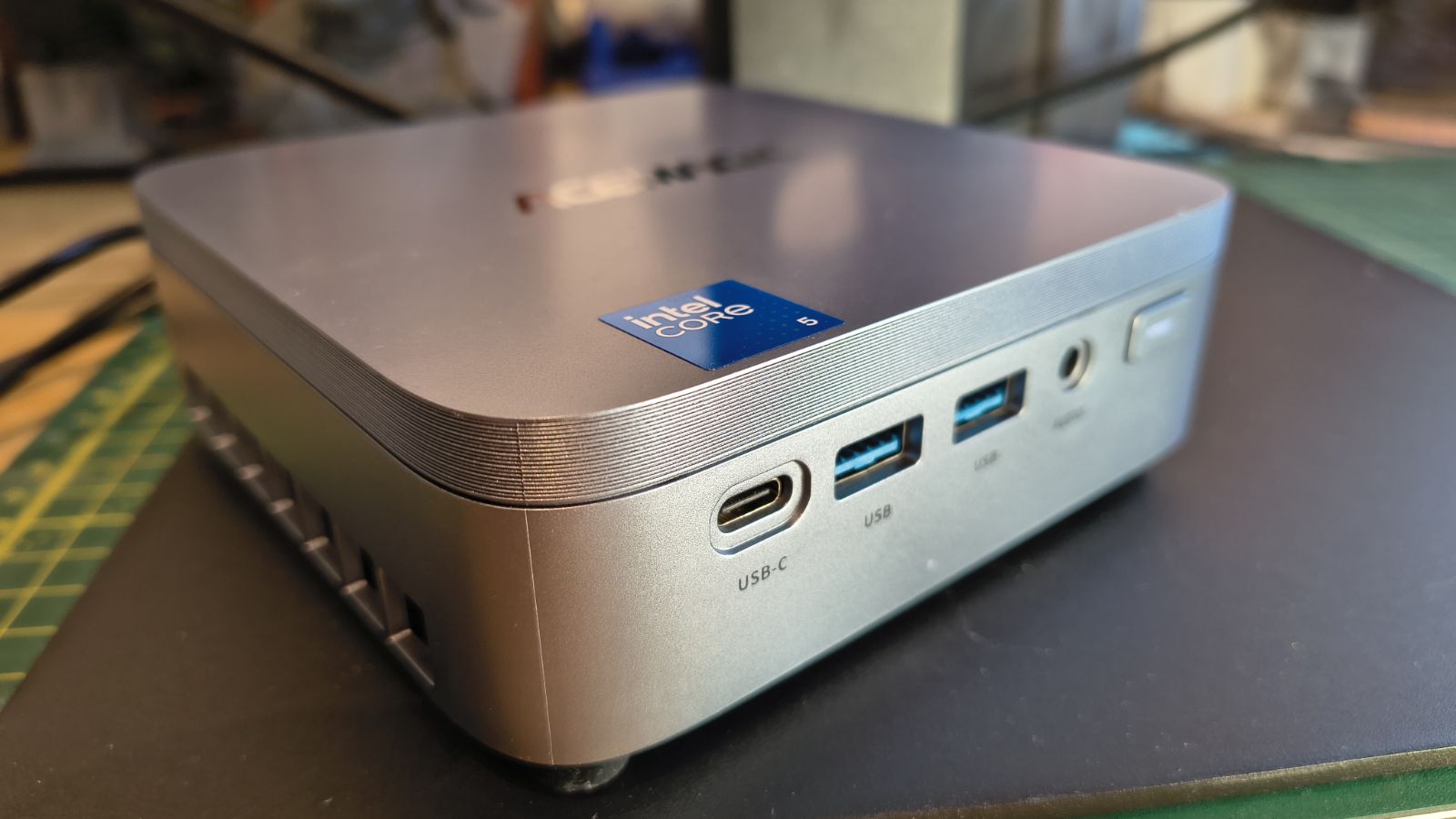
The front has a power button that self-illuminates with “POWER” when you press it to start the system, a small touch I liked. Also front-facing are two USB 3.2 Gen 2 ports, a USB-C 3.2 Gen 2x2 port and a 3.5mm audio jack.
On the rear are four more USB-A ports, all USB 3.2 Gen 1 (5Gbps), one each of HDMI 2.0 and DisplayPort and a single 2.5GbE LAN port. It also has a security slot on the rear, which, given how pocketable this machine is, might be worth using.
That single USB-C does a lot of work here. It carries video through DP Alt Mode, shifts data at up to 20Gbps over USB 3.2 Gen 2x2, and accepts up to 100W of power delivery. But that last specification makes zero sense, as you can’t power this PC with USB-C.
Placing it on the front, I assume you are meant to use it to charge phones and laptops, but that would be 100W output, not input. But this port doesn’t charge, which is confusing.
A bigger issue is that there is no USB4, and that is becoming something people expect, even if it’s only one port.
This problem, and a few others, come down to one part of the Wildcat Lake architecture that Intel didn’t improve enough.
- Design: 4 / 5
Acemagic K5: Features
- Wild Lake Core 5 320
- LPDDR5 Memory
- Short on PCIe lanes
The heart of this PC is a new processor series from Intel, which had the codename Wildcat Lake. This is a logical evolution of the products that were once in the Atom product lineup, and then went through a major revamp to become the N100, N150 and N305.
These were initially either two or four-core processors made for light-duty and embedded applications. Because they were cheap, they also ended up in some NUC enclosures, for those who didn’t need a powerful platform.
Somewhere along this path, Intel released the N300 with 8 cores, and the scope of what these systems could do expanded significantly.
But Intel has now abandoned that direction, the one where the chips all used E-cores (E for efficiency), operated with 7W or 15W of power and used the old UHD graphics.
The Core 5 320 has six cores. Two of these are now P-cores, designed for performance, alongside four E-cores.
Its power envelope starts at 15W and can be up to 54W, and where the N300 topped out at 3.8GHz, this new 18A silicon can run at 4.6GHz in boost mode.
With these attributes, it has significantly higher single-core and multi-core performance (roughly doubling the aggregate capability of entry-level N-series chips) thanks to its higher clock speeds and dedicated performance cores.
Which begs the obvious question: if it's that much better, where does that put the lower-specification Core Ultra chips? Well, Intel made sure it wouldn’t bother them, in a somewhat insidious way.
The PCIe lane budget is the catch, and it undermines many of the positive aspects of this series. On paper, the Core 5 320 has PCIe 4.0 instead of the PCIe 3.0 its predecessors got, so each lane has twice the bandwidth. But Intel gave it only six lanes, compared to the nine lanes in the Alder Lake-N series it replaces. Yes, another 33% more bandwidth, but the N300 was PCIe lane-starved to begin with.
To put that into perspective, a typical AMD Ryzen 5 mobile CPU has 20 lanes out of 24, and even on older models with PCIe 3.0, that’s more actual lanes and bandwidth than the Core 5 320. To be accurate, it’s 66% more.
This shortfall is not an Acemagic oversight but a Wildcat Lake platform limitation. Compact, low-power chips like this one get a smaller pool of PCIe lanes to share across storage, networking, and USB, and something has to give. Here, storage draws the short straw.
For everyday use, browsing, office work and light content creation, this will go largely unnoticed. For anyone hoping to drop in a fast PCIe 4.0 x4 drive and get full speed for large file transfers or video editing scratc
- Features: 3 / 5
Acemagic K5: Performance
Mini PC | Acemagic K5 | Beelink ME mini | |
CPU | Intel Core 5 320 | Intel N150 | |
Cores/Threads | 6C 6T | 4C 4T | |
RAM | 16GB LPDDR5 6400 | 12GB LPDRR5 (1x 12GB) | |
SSD | 512GB G932E5 | 64GB eMMC + 2TB Crucial P3 Plus SSD | |
Graphics | Intel Xe3 Graphics (Wildcat Lake) | Intel Graphics 730 (EU24) | |
3DMark | WildLife | 11018 | 2298 |
FireStrike | 3508 | 732 | |
TimeSpy | 1693 | 293 | |
S.Nomad | 1254 | 188 | |
Cine24 | Single | 110 | 56 |
Multi | 402 | 135 | |
Ratio | 3.64 | 2.4 | |
GeekBench 6 | Single | 2559 | 1103 |
Multi | 7852 | 2334 | |
OpenCL | 12764 | 3908 | |
Vulkan | 14273 | 4354 | |
CrystalDisk | Read MB/s | 1786 | 1731 |
Write MB/s | 1748 | 1686 | |
PCMark 10 | Office | 6280 | 2781 |
WEI | Score | 8.1 | 5.6 |
It was hard to decide which machine spec to compare the K5 with, since it’s an entirely new platform.
But since this is designed to replace the old N100 and N300 tier in the Intel stable, I found an N150-powered mini PC, the Beelink ME mini, that seemed appropriate.
Except in most respects, the Wildcat Lake machine eats the Twin Lake (Alder Lake-N refresh) architecture for breakfast.
In fact, if we take the single-core benchmarks in isolation, the Core 5 320 is faster than the Intel Core Ultra 5 125H, and for graphics it's faster than the Intel Core i7 12650H.
The dramatic difference we see against Twin Lake is because that platform used only Gracemont efficiency cores, had fewer cores, offered only single-channel memory support, used an Intel UHD graphics GPU, and had no NPU support.
This new Wildcat Lake generation has two performance cores and four efficiency cores, dual-channel DDR5 memory, Intel Xe3 graphics (two Xe cores), and an integrated NPU.
But those advantages come at a power cost: while the Beelink ME mini operated within a 9-15W budget, the Acemagic K5 runs 9-25W, and some systems running this chip will likely turbo to 35W.
But it’s easy to get carried away by all the performance benefits this generation brings and miss a rather obvious hole Intel left unpatched in the good ship Wildcat Lake.
Both machines share one horrible aspect: abysmal SSD performance. And it's for precisely the same reason.
While Intel was handing out all the new technology in the memory management, cores, GPU and NPU departments, they failed to properly address one critical area, PCIe lanes.
The Twin Lake architecture supported 9 PCIe 3.0 lanes, and the new Wildcat Lake supports 6 PCIe 4.0 lanes. Because PCIe 4.0 has double the bandwidth of PCIe 3.0, that’s the modern equivalent of 12 PCIe 3.0 lanes.
But with a 2.5GbE LAN port and seven USB ports, that eats up bandwidth to the point where there aren’t enough PCIe lanes to properly support the M.2 NVMe slots.
These slots are both PCIe 4.0 x2, and that’s a problem.
As the benchmarks reveal, the speed of the system drive is less than 1800MB/s in both read and write. But the drive's specification is double that speed.
The drive is a Gen3 drive, but the M.2 slot is Gen4, and the result is that it gets two lanes of PCIe, and two lanes of Gen3 is about 1800MB/s. That mistake is on Acemagic, because a Gen4 drive would be twice as fast. Not Gen4 x4 fast, since it only has two lanes, but twice as fast as the Gen3 drive Acemagic installed.
This is all somewhat frustrating. Intel built a punchy six-core system with excellent single-core performance and reasonable GPU output, and then kneecapped it effectively with limited PCIe lanes. And Acemagic put the wrong type of NVMe drive in one, regrettably.
- Performance: 3.5 / 5
Acemagic K5: Final verdict
As you may have gathered, the K5 is a mixed bag. But aside from one issue I can put down to Acemagic, most of the problems are Intel’s.
The more I looked at this system, the more I came to the conclusion that Intel realised these low-end chips were going to be too good, so they made sure they couldn’t be used more broadly by limiting the number of PCIe lanes.
Evidently, USB4 or Gen x4 M.2 slots on the Core 5 320 would have threatened Core Ultra models, so they made sure it was unlikely to have them.
Acemagic, for their part, did the best they could with this platform, with the exception of the Gen3 NVMe drive, which was a cost saving too far.
If this system were ever to be around $400, I’d recommend it for general office use, but its launch price makes it compete with the likes of the GMKtec M6 Ultra Mini PC. That’s a $459.99 system powered by an AMD Ryzen 5 7640HS (6 cores, 12 threads) with dual Gen4 x4 M.2 slots, USB4, dual 2.5GbE LAN ports and slotted SODIMM DDR5 memory that can be upgraded to 128GB.
When you compare the two options, the Acemagic K5 looks like it's been priced above what its specifications can justify.
Should you buy a Acemagic K5?
Value | Seems expensive for the specifications | 3 / 5 |
Design | Mostly plastic construction with easy-ish internal access | 4 / 5 |
Features | Great new Wildcat Lake CPU undermined by lack of PCIe lanes | 3 / 5 |
Performance | An excellent single-core performer, but the Gen3 NVMe drive is slowed down in a Gen4 slot | 3.5 / 5 |
Overall | What could be a useful general-purpose system, if it can get much cheaper than the launch price. | 3.5 / 5 |
Buy it if...
You must have the latest tech
The Wildcat Lake CPU in this system is impressive and shows that Intel can deliver performance and efficiency if they want. It’s a dramatic improvement over the old N-series silicon.
You need lots of USB
With two USB 3.2 Gen 2 ports on this design and another four Gen1, this machine has plenty of ports for external devices without the need to attach a dock.
Don't buy it if...
You need USB4 or Thunderbolt
While the K5 has plenty of USB, it doesn’t support Thunderbolt or USB 4.0. For those using those technologies, that could be a deal-breaker.
You need high-performance NVMe
This machine comes with a Gen3 NVMe that lives in a Gen4 slot, halving its performance. But even with a Gen4 drive, the dual-lane configuration only allows for a maximum of about 3800MB/s transfer. It doesn’t matter what drive you put inside this machine; it won’t go any faster.
Also Consider
GMKtec K6 Ultra
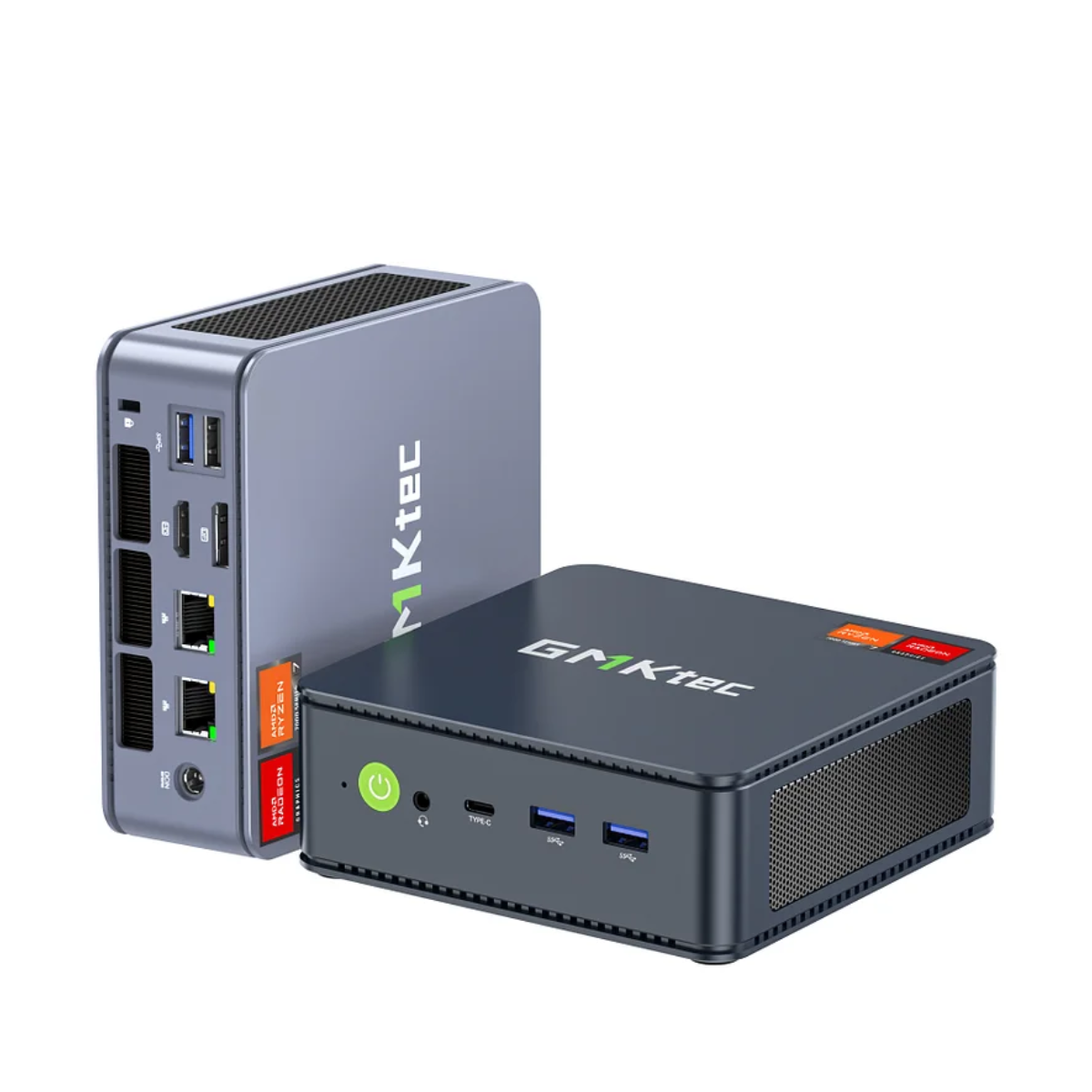
A mid-level AMD system that sports an AMD Ryzen 5 7640HS processor, up to 32GB of RAM and dual Gen4 x4 M.2 slots. This hardware shows what’s possible when you have 20 PCIe lanes. Also available in a barebones configuration if you have RAM and SSDs spare.
Check out our GMKtec K6 Ultra review
Acemagic K1
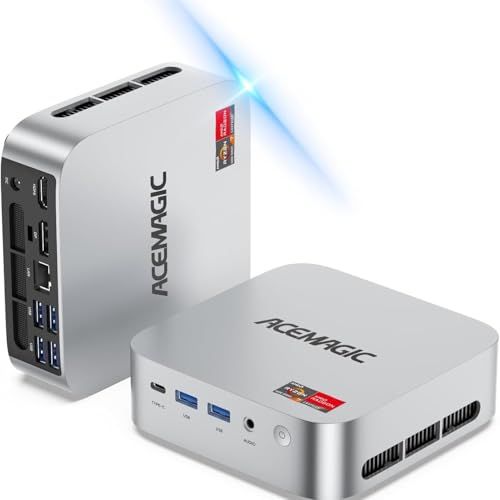
Those wanting a decent PC that can run any office tasks and surf the internet should consider the previous Acemagic design, the K1. It comes in two variants: one that uses the Intel Core i5-12600H, and another much more affordable model that’s built around the AMD Ryzen 5 or Ryzen 7 platforms.
The top-spec model uses the Ryzen 7 773OU CPU, comes with 16GB of RAM and a 512GB SSD, and costs a little over $400. A good price for a machine with an 8-core, 16-thread CPU.
Check out our AceMagic K1 (Intel version) review
For more professional hardware, we've reviewed the best business computers.
from Latest from TechRadar https://ift.tt/CNIVgmZ